- Strategic Advanced Recovery - FixData
- Posts
- Special Edition: Diagnostics of an HDD PCB
Special Edition: Diagnostics of an HDD PCB
Edition #11 by FixData

Alberto Navarro
January 10, 2024

Thank you for being part of the FixData community! In this second edition of our newsletter we will talk about storage devices and in our premium content we will see how to diagnostic an HDD PCB.
Storage devices
Storage devices are devices that store and write information that can be accessed through different interfaces, be it SATA, PATA, PCI EXPRESS, M.2, etc. It all depends on the type of device being used, currently the most used is the SATA interface.
In this article we will see devices such as HDD, SSD, M.2, USB and microSD.
Hard disk drive (HDD):
Hard disks are one of the most reliable storage devices for storing large amounts of information due to their long lifespan; however, they are somewhat fragile as they have mechanical parts inside that can be easily damaged in the event of drops, bumps, etc.
Mechanical hard disks are composed of different components that help with the storage of information.
Such as:
Magnetic platters
Motor
Actuating arm
Read and write.
PCB

Storage Capacity
From 128 GB or less to 20 TB.
Read Speed
Its speed can vary between different brands, but its maximum speed achieved is between 100 MB/s and 200 MB/s and the type of interface changes the speed depending on its type.
Write Speed
Its writing speed is approximately between 100 MB/s to 150 MB/s. This speed may vary between different brands.
Life Span
3 to 5 years can last more or less depending on its use.
Advantages
Technically speaking, the information retrieval process is easier compared to other devices that have memory as a storage method.
Disadvantages
They are more susceptible to damage by shocks, falls, in addition to the fact that they can suffer loss of information due to high temperatures that cause damage to the motor and, therefore, can damage the platters due to the fact that it rotates very fast.
They use more energy than other devices, although consumption may vary depending on the revolutions per minute and the number of heads or platters in the disk.
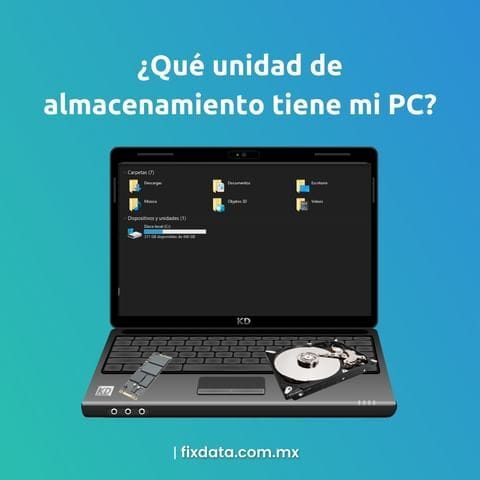
What storage unit does my PC have?

USB memory:
Currently, there are 4 generations of USB 1.0, 2.0, 3.0, 3.1, 4.0 which use NAND flash memory, where NAND is an abbreviation for Not AND (negation of AND).

Storage Capacity
From 128 MB to 1 TB
Data Transmission Speed
USB 1.0 has two speed lines, the low speed line reads at 1.5 MB/s and the high speed line reads at 12 MB/s.
USB 2.0 has an approximate speed of 480 Mbps, which is equivalent to 80 MB/s
USB 3.0 has an approximate speed of 5 Gbps or 100 MB/s in super speed.
USB 3.1 has a speed of 10 Gbps or 1 GB/s/s in ultra speed.
USB 3.2 has a speed of up to 20 Gbps or 2.5 GB/s in ultra speed.
USB 4.0 has a speed of up to 40 Gbps or 5 GB/s in ultra speed.
Gbps = Gigabit per second.
GB/s = Gigabyte per second.
Useful life:
According to experts, NAND memories come to present failures at 18 months, but in general can last approximately 5 to 6 years depending on the use that is given and the level of exposure that has both in temperature, among others can last more or less time until it stops working.
Advantages:
It is portable and very small in terms of dimensions.
In addition to the fact that most operating systems support it as long as it uses the FAT32 file system that is recognized by most operating systems such as Apple, Windows and Linux.
Disadvantages:
It is very easy to lose a USB flash drive due to its small size.
In addition, it has no protection against low or high current, which can lead to data loss.
It does not have a security system such as an antivirus.
SSD Interfaces

Solid State Drive SSD:

SSD devices or better known as solid state drives, offer more advantages than a conventional hard disk due to being smaller and in general offer higher read and write speeds, in addition to needing less care as they do not have platters or reader heads that can degrade with shocks or sudden movements.
This technology is composed of several memories of which there are 3 types of NAND memories such:
SLC (Single Level Cell), which means that it has cells of a single level, which means that it can only store one bit of information at a time either a 1 or 0, supports 2 voltage states.
MLC (Multiple Level Cell) or multilevel cells that can store 2 bits of information at a time, thus supporting 4 different voltage states, but are slower at the time of reading and copying files.
TLC (Triple Level Cell) which is a triple level cell that stores 3 bits at a time, which supports a maximum of 8 different voltage states.
QLC (Quad Level Cell) or quad-level cells that store 4 bits at a time for each cell, thus supporting 16 possible voltage states.

SSDs have a controller chip that helps manage data flow and data storage.
Storage Capacity
About 120 GB to 30 TB.
That's right, Samsung launched a solid state drive that can store up to 30 TB of data.
Read Speed
230 MB/s to 500 MB/s
Write Speed
200 MB/s to 500 MB/s
Lifetime
According to experts, NAND memories fail after 18 months, but in general they can last approximately 5 to 6 years depending on their use and the level of exposure to temperature, among other aspects.
Advantages
SSDs are faster and more resistant than a hard disk due to some blow, however, if they suffer constant blows or falls can cause failures in these, but it is less common than in an HDD and also has no mechanical parts.
Lower voltage and higher efficiency
Less heavy, less noisy
Smaller in size
Disadvantages
On the other hand, their main disadvantage is that the recovery process of these is more complex because the memories can lose information due to its low quality, these tend to wear out with use.
The loss of voltage can cause the SSD to lose data or become corrupted.
MicroSD memories:
The Micro SD are the micro version of the SD (Secure Digital), of which there are two types, differentiated by their size and minimum data writing speed, starting with the SD that has dimensions of 32 × 24 mm with an average thickness of 2 mm, then there is the miniSD with measures of 21.5 × 20 mm and finally the microSD which is the smallest SD cards on the market with dimensions of 15 × 11 mm; they are commonly used devices to store photos, videos, movies, applications, etc.

In terms of protection, you can disable/enable writing, just by lowering or raising a lock on the side of the memory.
There are different types of microSD cards and they are differentiated based on their writing capacities, separated by 4 formats:
SC (Standard Capacity)
HC (High Capacity)
XC (Extreme Capacity) or Extreme Capacity
UC (Ultra Capacity).

However, the XC format uses a faster bus than the other types of formats, called UHS Ultra High Speed. Differentiated by having more pins of which there are a total of 3: UHS-I, UHS II, UHS III generation is compatible with the connection to the bus of the SD Standard format and UHS-I being the case that UHS-II is incompatible with UHS-I and UHS-III and there is also a faster bus called SD Express.
In the case of the XC format this memory also only uses the exFAT file system which generates incompatibility with some Apple operating systems, in the case of HC handles the FAT32 file system which makes it compatible with most operating systems such as Apple, Windows, Linux, etc. and finally in the case of standard SD these usually handle the FAT12 or 16 file system.
Storage Capacity
From 2 MB up to 4 TB
Write and Read Speed
An important part to note is that the fastest memories usually do not have so much space.
There are 6 types of bus:
DS,
HS
UHS-I
UHS-II
UHS-III
SD Express
DS and HS have 4 SD classes, HC, XC and UC in the case of UHS-I, UHS-II, UHS-III and SD Express which handle only HC, XC and UC.
Maximum speed of bus type DS is - 12.5 MB/s maximum with SD version 1.01.
Maximum speed of bus type HS - 25 MB/s with SD version 1.10
Maximum UHS-I type bus speed - (50 MB/s with SDR50, DDR50) and (104 MB/s with SDR 104) with SD version 3.01
Maximum bus speed type UHS-II - 156 MB/s at normal speed in duplex speed is 312 MB/s this speed can be used with another device that is compatible with UHS-II interface with SD version 4.00.
Maximum UHS-III type bus speed - 312 MB/s in normal speed in duplex speed is 624 MB/s in duplex speed with SD version 6.00
Maximum SD Express bus speed - 985 MB/s with PCIe.3 x 1 lane, with PCIe.4 x 1 lane and PCIe.3 x 2 lanes, speeds of 1970 MB/s can be obtained with micro SD version 7.00 to 7.10, PCIe.4 x 2 lanes obtain speeds of 3940 MB/s with SD version 8.00 and finally with PCIe Gen .4x1 Lane speeds of 1970 MB/s can be obtained with micro SD version 9.10.
Life Span
On average they can last between 10,000 and 100,000 overwrites, but this depends on the use and the environment to which the device is exposed, although technically speaking, NAND memories in general, Flash or not, last about 18 months before they start to fail, this does not mean that they are useless, but that information can be lost or degraded, on the other hand, a NOR memory can last longer.
Advantages
It is the smallest storage device on the market.
In addition, it can be used in several applications, as it is one of the most universal storage devices used in cameras, cell phones, laptops, PCs, among others, due to the small space it occupies.
Disadvantages
They can be lost more easily than a USB
It has low reliability of data storage because they are not permanent as they have fewer overwrite cycles than other devices.
Become part of the community, join our WhatsApp group!
Subscribe to Premium to read the rest.
Become a paying subscriber of Premium to get access to this post and other subscriber-only content.
Already a paying subscriber? Sign In.
A subscription gets you:
- • Access to advanced exclusive content
- • Exclusive deals for data recovery services
- • Discount cupon for our data recovery course
- • Special thanks mention every month