- Strategic Advanced Recovery - FixData
- Posts
- Take care of your data: Curiosity took away the information
Take care of your data: Curiosity took away the information
Edition #15 by FixData

Alberto Navarro
February 07, 2024

Thanks for being part of the FixData community! Did you open your hard drive? In this issue we'll explain what happens if you open a hard drive on your own. Plus, in our premium content you'll see what a platter looks like after handling it and exposing it to the elements without the necessary equipment.
Trivia
Why is information lost on hard disks?
(answer at the end of the newsletter)
Curiosity took away the information.

Each individual has the responsibility to complete his or her tasks according to the established schedule or previously agreed upon date. We consider ourselves specialists in our respective areas and generally aspire to deliver not only our time, but also our talent through well-executed work.
What we generate in the process moves from the physical to the digital, as an increasing number of professions today require storing information on electronic devices. Whether you're an architect designing your masterpiece, an engineer about to publish research, a doctor about to discharge his patients, or a photographer capturing the most impactful event, all that information is stored on storage devices.
Imagine that, after saving the latest edition or update of your work, you realize that your disk is no longer detected. It's due in a week, and the project is already paid for.
Anxiety takes over! You seek help from someone who knows about technology and who gives you some advice on how to try to access the information. However, you realize that you cannot retrieve it. In an act of desperation, you fall victim to the do-it-yourself approach and decide to open the disk to check for internal problems. You remove the label, loosen the screws, and uncover the disk. You find nothing unusual, close it again, and try to connect, but it fails.
Finally, as a last resort, you turn to a laboratory specialized in information recovery, such as FixData, and you take your disk for revision. Surprisingly, they inform you that the information cannot be recovered. Why? They explain that the mechanical disk is contaminated by dust, fingerprints, and scratches. This contamination prevents any successful recovery attempt, and curiosity has resulted in the irreversible loss of your data.
What happens if I open a hard drive?
First, opening any storage drive, especially a hard drive, is discouraged, as this may result in the loss of the information stored on the device. Opening the drive leaves the device exposed to the elements, and should the hard drive continue to operate, the damage will be even more severe.
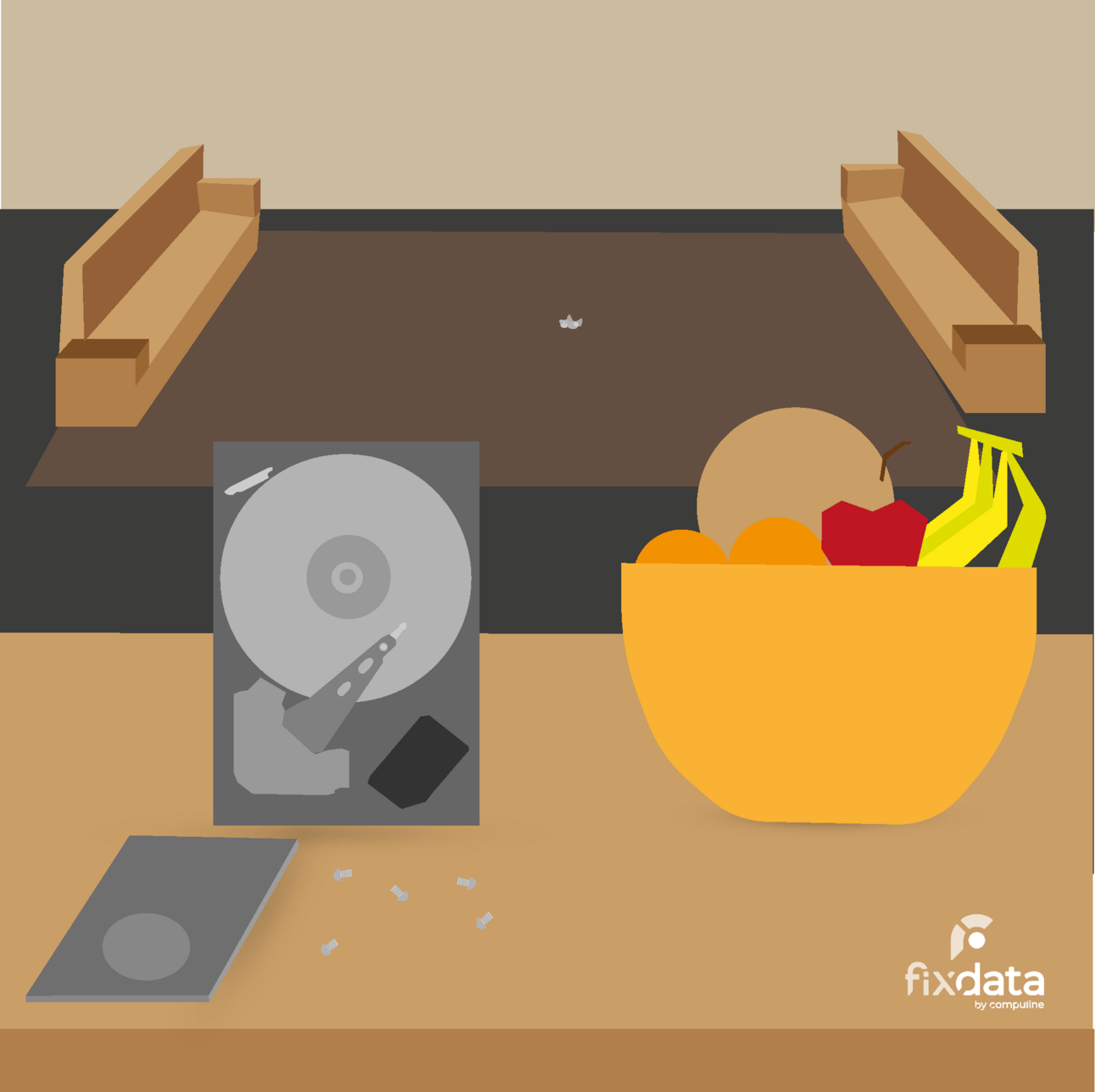
What happens if it is uncovered?
When a hard disk is uncovered, it is exposed to factors such as dust, shock, and vibration, which can cause data loss. If the reader head rubs against the magnetic surface of the disk, the surface is damaged, and the data becomes unrecoverable. Seemingly harmless elements such as fingerprints, smoke, water or hair can cause irreparable damage.
In addition, uncovering the disk can affect the spinning axis of the platter motor, causing imbalance and affecting read and write. Loss of synchronization between the read heads and platters, caused by movement or loosening of screws, can also result in permanent damage.
Why is it not advisable?
Uncovering a hard disk only leads to a loss of information, reducing the chances of recovery to almost zero. This action does not solve the problem but complicates it further. Although most hard disks can be opened, soldered helium disks complicate the problem: making adjustments or head changes.
Helium Hard Disk:
In the case of helium disks, uncovering must be performed in dust-free environments, such as a clean room. Specialized equipment is required to avoid the release of particles and human hair. Although the process may align platters or change read heads, it does not guarantee functionality, so it is advised not to rely on the disk to store information.
Reliability:
Any opened (uncovered) disk, whether outdoors or in a controlled environment, remains susceptible to damage. Even in controlled environments, uncovering misaligns heads and platters, reducing reliability and increasing the likelihood of failure or total damage.
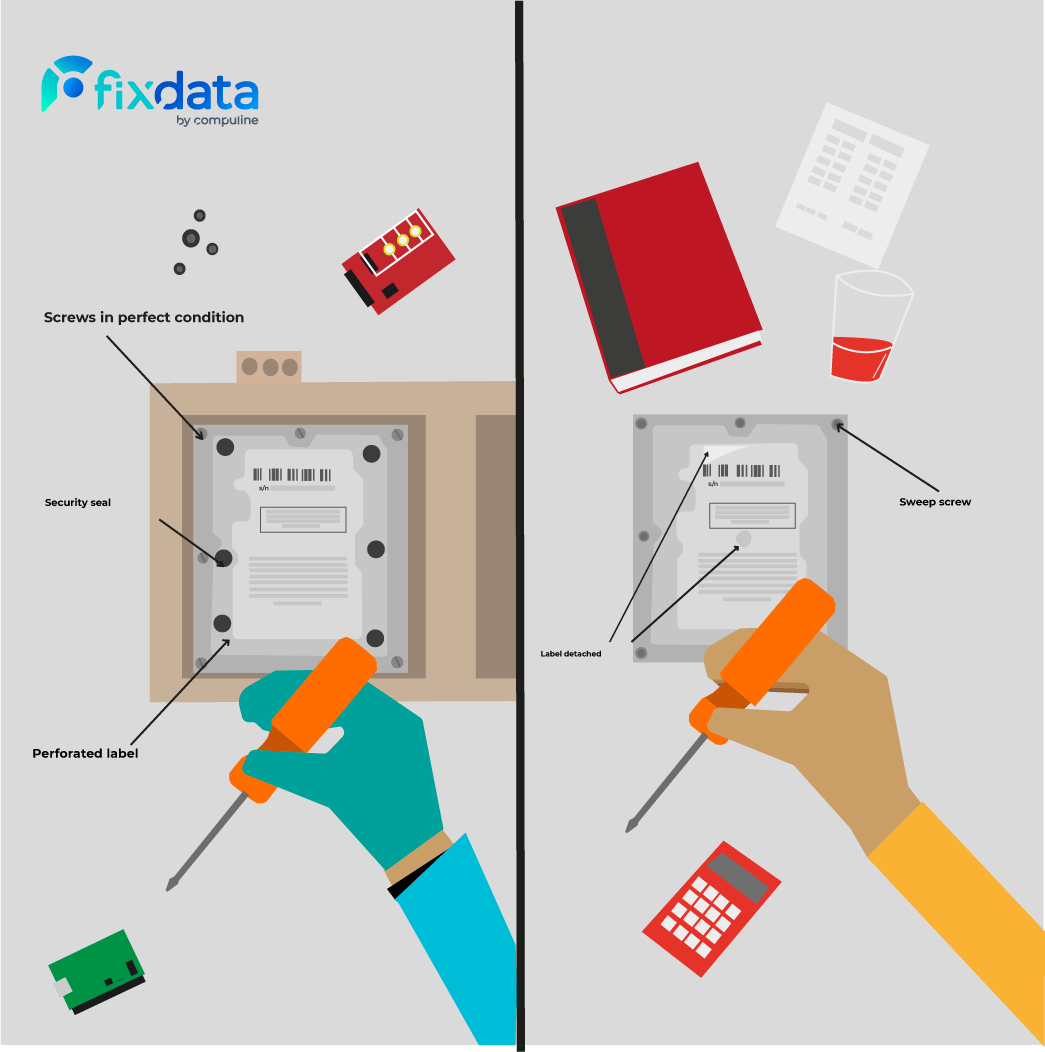
How do you detect if the disc has been uncovered?
Generally, a peeled, broken, or poorly glued label, along with visibly swept screws, are signs that the disk has been uncovered.
When is it necessary to open a hard disk?


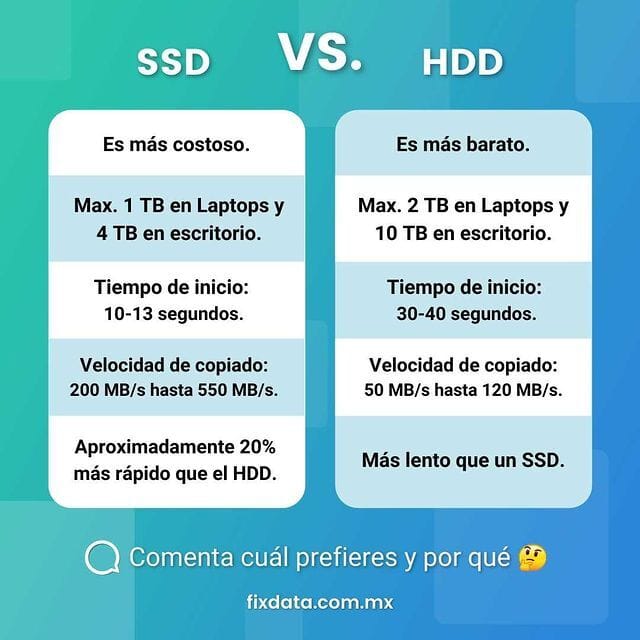
Comparison: HDD Vs SSD

In the world of data storage, two dominant technologies are mechanical hard disks and solid state drives. Each has unique characteristics that affect the performance, durability, and power efficiency of the devices in which they are used. In this comparison, we will discuss the advantages and disadvantages of both, providing a detailed overview of their features to help users make informed decisions about the best option for their needs.
HDD:
HDDs, with their traditional mechanical technology, offer notable advantages in terms of accessibility and price. However, these advantages are accompanied by disadvantages such as increased fragility, noise, and power consumption. The following is a detailed breakdown of the defining characteristics of HDDs.

Read and Write Speed: Limited by the speed of the drive, HDDs offer slower speeds compared to SSDs.
Price: More affordable, they are an economical choice for mass storage.
Noise and Vibration: Generate noise and vibration due to their moving mechanical parts.
Durability: Vulnerable to physical damage and limited lifetime due to mechanical parts.
Start-up Time: Slower, affected by the number of peripherals connected.
Data Recovery: Higher probability of recovery due to its older technology and wide support.

SSD:
SSDs, based on solid-state technology, are noted for their speed, efficiency and lower power consumption. Therefore, despite their advantages, they also present challenges related to durability and data recovery. Below, we will detail the key features of SSDs.
SSD Image
Read and Write Speed: Fast, with significantly higher speeds than HDDs.
Price: More expensive due to advanced performance and smaller size.
Noise and Vibration: Quiet and vibration-free due to the absence of moving parts.
Durability: Less prone to physical damage, but with a lifespan related to the amount of data written.
Start-up time: Faster, influenced by the number of connected peripherals.
Data Recovery: Lower probability of recovery in case of damage, due to newer technology and less support.
Power Consumption: Energy efficient as no mechanical motors are required.
The choice between HDD and SSD depends on individual needs, considering factors such as performance, durability, budget and usage preference. While HDDs offer a cost-effective option with a higher probability of data recovery, SSDs provide superior performance, energy efficiency and lower probability of failure for a higher price.
Become part of the community; join our WhatsApp group!
Trivia
Why is information lost on hard disks?
Subscribe to Premium to read the rest.
Become a paying subscriber of Premium to get access to this post and other subscriber-only content.
Already a paying subscriber? Sign In.
A subscription gets you:
- • Access to advanced exclusive content
- • Exclusive deals for data recovery services
- • Discount cupon for our data recovery course
- • Special thanks mention every month