- Strategic Advanced Recovery - FixData
- Posts
- Blackout and a new disk...
Blackout and a new disk...
Edition #17 by FixData

Alberto Navarro
February 22, 2024

Thank you for being part of the Fixdata community! We are about to culminate our first season. That's why in our last edition, we showed you what happens to our information when an outage occurs.
Trivia
What happens if my hard drive suddenly shuts down?
(answer at the end of the newsletter)
Blackout and a new disk...
There are different factors that can cause a hard drive to fail, so today we want to share with you the story of a recent case we had in our laboratory, because, without a doubt, it is something that can happen to anyone who uses equipment with a storage device, such as laptops, desktop computers, and others.
Below, we share with you the story of our client's experience and how he tells it to us:
“I was working on my PC as I usually do; it was a normal afternoon, calm, it was not raining, and there was no wind... I was updating the orders I had pending to enter to start working on them, and some designs I had to deliver in three days. I did not expect what was about to happen. The power went out! I heard the neighbors complaining about the same thing. Those days, a swap meet was installed by my house, and sometimes the trucks they used to transport their goods made the wires collide and cause the light to be unstable until it went out. This caused my computer to no longer turn on.
At the time this incident happened to me, I did not worry because I have an technician who repairs equipment, so I decided to take my computer with him, and apparently it was only the power supply; he changed it and installed everything, but when I turned on my computer again, I could not access my information because even the disk was not recognized. I had to contact my technician again, who told me that the electric shock had damaged my disk.
That's where I got worried!
Because this was no longer something that would just need to be repaired, I now had to take my hard drive in for service because that's literally all my work, and I needed to know what had happened to it. Now my life depends on it...''
This experience is very valuable because it is something that can happen to any of us, but... Can you imagine what happened to this disc? If you want to know more deeply and technically what happened with this case, take a look at the information we prepared in this edition.

How does an outage affect information?
Power outages are the effects of a lack or interruption of electrical power. They can be caused by problems in the electrical network, such as short circuits, overloads, or simply by the interruption of the electrical supply in certain areas.

What is a voltage rise and fall?
Voltage dips are caused by electrical devices that demand too much power at a specific time, causing an abrupt imbalance in the facility's power supply. On the other hand, voltage surges can be caused by short circuits or other events that cause a temporary overload. After a voltage dip, the supplying equipment will attempt to balance the voltage, which may result in a temporary increase in the supplied voltage. Power dips usually precede voltage spikes, and power outages can cause both voltage spikes and voltage dips before or after they occur.

How does it affect my computer equipment?
Power outages can result in the loss of information at best, especially information that was in use at the time of the power outage, such as unsaved documents, open files, and game games, among others. In addition, there may be a loss of information in files stored on the computer.
In the worst case, the computer may experience hardware problems, such as damage to the power supply or motherboard, especially if there is a sudden power surge. These components may be irreparably damaged. In the event of a voltage drop, hardware components may stop functioning properly or operate only at lower voltages, reducing their efficiency.
Storage units can also be damaged, and here are some of the consequences of this type of event:
Hard disks:
Power outages can cause the read heads to stop abruptly, which can damage the disk platters and cause them to stop working. In addition, voltage surges or dips can cause the hard disk to work slower or faster, which, in the long run, can cause irreparable damage.
SSD:
SSDs can also suffer data loss due to power outages. However, they are more susceptible to power surges due to their lower power consumption. Although SSDs are often equipped with power loss protection (PLP) technology, this does not always guarantee full retention of the information stored in the device's DRAM or SRAM memory.
USB:
USB drives can be damaged by voltage surges or dips, which can result in the loss of data if they are in use at the time of the power failure.
Drives SD:
SD drives can experience similar damage due to power outages, and their file systems can become corrupted, making data inaccessible.
Do all computing devices suffer from this?
The only devices affected by the outages will be desktop computers and servers (when not connected to an external power backup source such as the NO Break, also known as UPS), as laptops will not be affected as long as they have a functional internal battery with a charge. Otherwise, they may experience the same failures as desktop computers.
Power outages are becoming more and more common nowadays and can easily damage our electronic devices due to voltage variations. Therefore, it is important to use protective devices to prevent sudden damage to equipment.
In addition, the frequency of blackouts can be influenced by the country's electricity demand and weather conditions. However, some countries have implemented advanced technologies or strategies to minimize the frequency of blackouts.
Symptoms of a damaged hard disk


How do I protect my information from outages?
Nowadays, blackouts are unpredictable. In addition, they can cause voltage sags and surges. Depending on the country, these events may be more common or occur due to natural or human causes. In both cases, they are impossible to predict unless there is a massive blackout in the region. However, this still represents a risk to the electronic devices we use in our daily lives.
To protect computer equipment, you can follow these tips: Using devices such as regulators, UPS, or surge suppressors can be very helpful when such an event occurs.
In the following, we will describe in more detail the function of each type of device mentioned.

Regulator:
It is responsible for regulating the voltage that is supplied to the equipment that is connected to it. This type of device is designed for the ups and downs of voltages, so a blackout will not give you a power supply to properly turn off your devices.

No Break, UPS:
The Uninterruptible Power Supply (UPS) is responsible for regulating the current and supplying it after a blackout or voltage drop. This device stores energy that is used during blackouts and can also function as a regulator.

Spike suppressor:
These types of devices are responsible for diverting the energy of transient events, causing all the overvoltage to be cut and part of it to be transferred to the ground. The purpose of this is that all that extra energy does not damage the connected devices or cut their useful lives.
Some additional practical tips are:
In cases of problems such as power outages, burnt or oxidized wires, or bad wiring, you should consider replacing the wiring in the electrical installation to prevent future problems.
Disconnect electronic devices that are not in use. Use quality devices that at least provide sufficient time to turn off equipment in case of an emergency.
For network or telephone cables, it is recommended to use a suppressor or connect the cable directly to the regulator, although this may reduce bandwidth.
Perform periodic maintenance on UPS systems, including battery replacement, and check the condition of regulators to ensure that they are still serviceable.
Turn off electronic devices during thunderstorms to avoid damage from low voltage or voltage spikes caused by lightning.
Avoid contact with liquids near computer equipment to prevent short circuits, and use sturdy cables and quality power supplies to protect equipment from serious damage.
Prevention is the best option to avoid data loss that can affect all equipment. It is important to use quality cabling and systems to prevent failures caused by power outages or voltage fluctuations. Purchasing a UPS or no-break can be more economical than replacing damaged hardware, but it is important to purchase one that fits the specific needs of the equipment, avoiding excessive capacities that are not necessary.
sketch: THE POWER WENT OUT AND MY LAPTOP WON'T TURN ON ANY MORE
Poll: What would you like to know about the world of data recovery?
Let us know what topics you want to learn about the world of information retrieval. Write us to our WhatsApp group the topics you want to see in our next season.
Trivia
What happens if my hard drive suddenly shuts down?

Become part of the community; join our WhatsApp group!
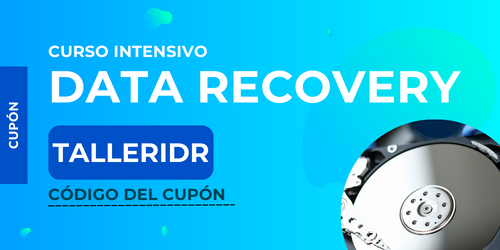
Online Workshop: Data Recovery Intensive
Register for our intensive online data recovery workshop!
As part of this community, we offer you the following coupon. Simply access the link below and enjoy the content we have prepared for you:
Firmware is a type of software that acts as an intermediary between the software and hardware of a storage device. It consists of a set of logical instructions that allow the device to manipulate the stored information efficiently. Below, one of our subject matter experts will provide more details on the possible causes of firmware failures and how to perform a proper diagnosis to identify and resolve these problems.
Subscribe to Premium to read the rest.
Become a paying subscriber of Premium to get access to this post and other subscriber-only content.
Already a paying subscriber? Sign In.
A subscription gets you:
- • Access to advanced exclusive content
- • Exclusive deals for data recovery services
- • Discount cupon for our data recovery course
- • Special thanks mention every month